
Some links that you will find on this page are affiliate links. This means that I may receive a commission if you purchase the product after clicking the link. You are not required to buy anything. Please do not buy or spend money on any tool or resource unless it is something that will help you achieve your goals.

One of the small-but-mighty tools running quietly in the background of my websites is a service called emailable. I use it on multiple sites that I manage — Atlantic Canada Equine Events, Ozsome Horsemanship, and right here on this site — to make sure the email addresses coming through the various forms tools are actually valid.
When someone fills out a contact form or registers for something, I want to make sure their email address is real, spelled correctly, and able to receive mail.
Why Email Validation Matters
You’d be surprised how often emails come in with a missing letter, the wrong domain, or a simple typo. Sometimes it’s an honest mistake, while in other circumstances, it’s intentional because the person entering the email just wants your ‘freebie’ and is not interested in getting further emails. And once an incorrect email gets into your CRM, it becomes a bounce waiting to happen – which can impact your deliverability rating negatively.
This helps keep my lists clean from the start. It also saves future headaches — fewer bounced messages, fewer support loops, and better deliverability overall.
Watch it In Action
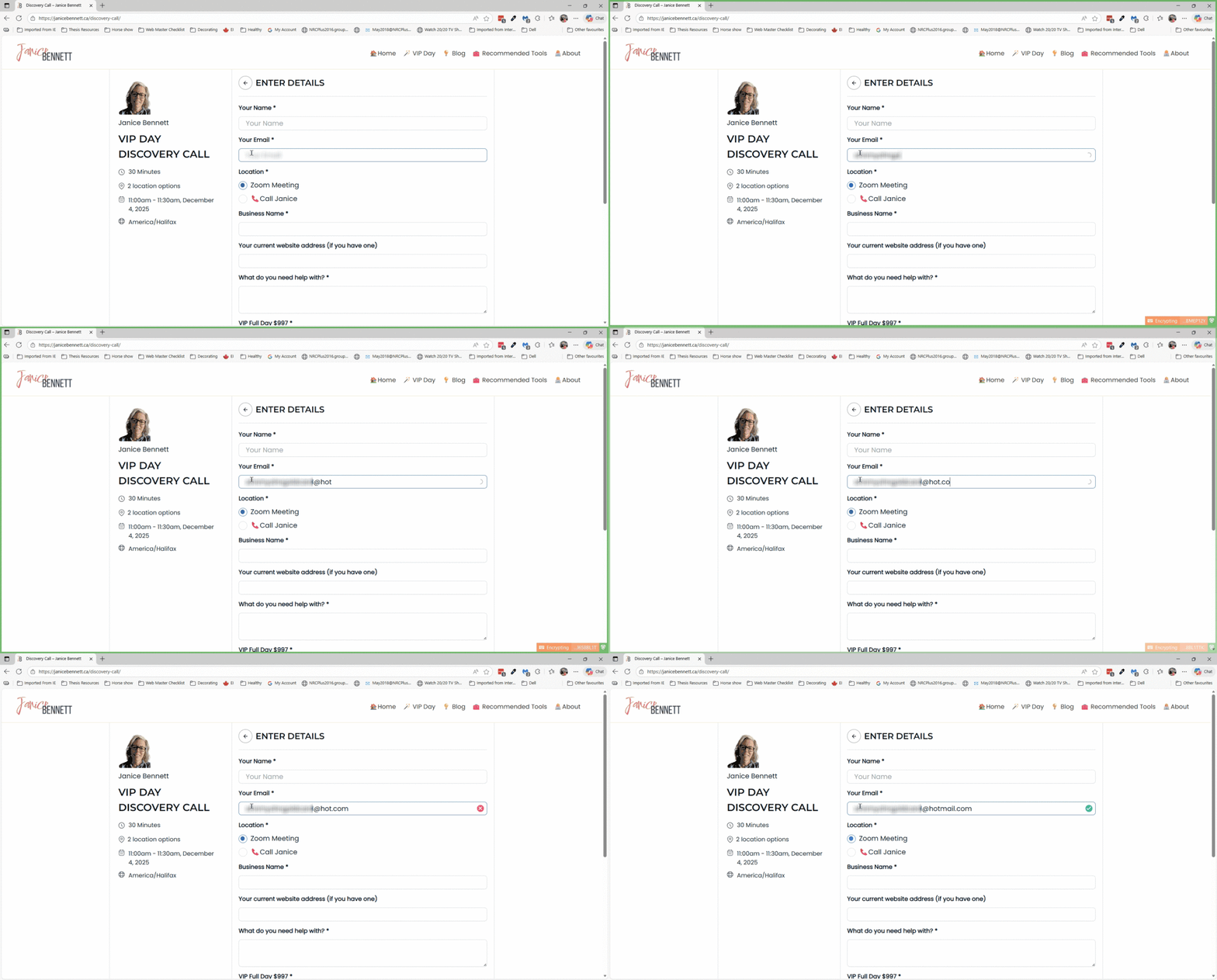
Easy Enough to Set Up (With a Bit of Help if Needed)
For most setups, connecting emailable to a form or a website is pretty straightforward. On my sites, everything syncs in the background and does its job without me thinking about it.
There were a couple of small technical pieces along the way, depending on the form builder and layout, but once it’s connected, it really is a “set it and forget it” situation.
And price-wise, it’s very reasonable for the amount of time and trouble it saves.
You Can Also Use It to Clean Existing Lists
I mostly use emailable for real-time validation — meaning the address gets checked as someone enters it. But you can also upload a list and have it verify every address in one go.
This can be helpful if:
- You’re moving from one service to another
- You’ve collected emails at events or conferences
- You want to do a cleanup before importing into a new system
IMPORTANT NOTE: I’m not a fan of scraping emails or adding people who didn’t give permission (that’s a hard no ❌). But if you legitimately collected emails and want to confirm they’re correct before reaching out, this is a simple way to double-check them.
Why I Recommend It
I’m using it myself on three different websites, and it’s been reliable and unobtrusive. It improves email accuracy, protects your deliverability, and helps people connect with you without typos getting in the way.
If you want to take a look at emailable, here’s my affiliate link. It doesn’t change your price, but it does send a small thank-you my way for the recommendation.
And that’s pretty much it — a simple tool that quietly makes everything run a little smoother.